<aside>
<img src="/icons/reorder_blue.svg" alt="/icons/reorder_blue.svg" width="40px" /> Navigation
Connect
Trade
Risk Management
Invest
Financials
Coaching
Blog
Research
Tutorials
Reviews
</aside>
Dormant Accounts are usually deactivated which leads to being un-subscribed from copy trading. To re-subscribe and stay active, kindly follow the instructions below.
A. Deactivated Account
Accounts get deactivated due to:
- Inactivity
- Lack of funds
- Lack of pending trades
To ensure your account doesn’t get deactivated as you wait for the trend do the following:
- Log in at least once per month preferably via MetaTrader 4 app
- Open a pending order like a stop or limit order e.g. buy limit, buy stop, sell limit, sell stop and place far away from current prices
B. Subscription Cancel
Accounts get cancelled due to:
- Archived trading account due to inactivity for more than 90 days
- Due to lack of money to copy new order
- Cancellation by the follower
- Rejection by the Forex Trader
C. How to activate a deactivated InstaForex Account
A. Denied access
- via App: Access your trading account in the Metatrader app, if you get the message “Authorization Failed” it means your account has been deactivated
- via Web: Error message: wrong login or password especially when you know the login and password are both correct
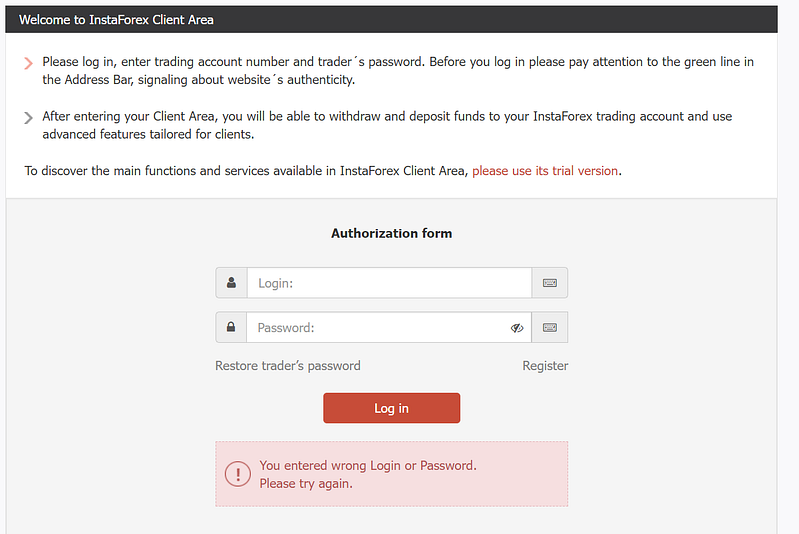
B. Request reactivation
Send an email to [email protected] and request account reactivation e.g.
Subject: Account Activation
Good morning,
Kindly activate the following accounts:
- Account A …..
- Account B ……
Kind regards
D. Funding Account
Before depositing taking note of the following rules:
The payment system as well as the currency of depositing and withdrawal must be the same.
InstaForex Deposit method review
InstaForex Deposit method review
<aside>
💡
NB* Mpesa as a payment option was removed as at the time of this amendment.
</aside>
To deposit money go to : Financial Operations > Deposit Money. Select on the respective payment method based on preference i.e.
Method: Bank, Card or mobile money
Regional-based payment methods
A. How to deposit into InstaForex via Mpesa (Kenya)
- Step 1 of 6: Select Financial Operations > Deposit Money
- Step 2 of 6: Go to Africa Online Transfers (e.g. Kenya)
- Step 3 of 6: Select Kenya


Instaforex deposit via Mpesa
Ignore the title which is in error i.e.: Southeast Asia Bank Transfers
- Step 4 of 6: Enter your details as per registration and ensure the mobile number is entered correctly e.g. +254 7123456789
- Step 5 of 6: Click to proceed to payment upon confirming that the details are correct.
On successful deposit a message is received when you click Take me back.
- Step 6 of 6: You can go back to the portal by clicking “Go back to client cabinet”.
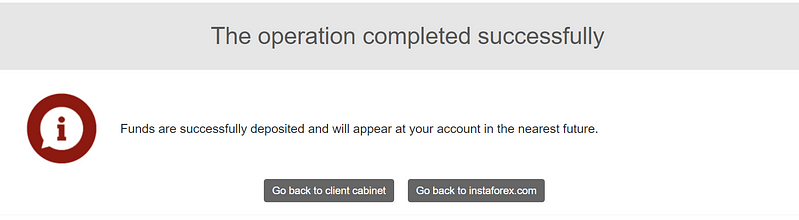
Successful deposit notification
To do a transfer between accounts e.g. wallet to one of the linked accounts please do the following:
- Step 1 of 3: Log into the Account you want to Transfer Money From
- Step 2 of 3: Go to Financial Operations > Transfer Between Accounts
- Step 3 of 3: Enter Trader Login (i.e. Account you want to Transfer Money To)
Back to Top
Re-subscribe for Copy Trading services
To re-subscribe do the following, go to the vertical menu as follows:
Note:
Step 1 to 4 is for those who had not subscribed for copy trading. Step 4 to 8 is for re-subscription.
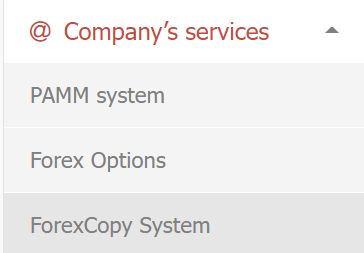
- Step 1 of 8: Go to Company’s Services > ForexCopy System
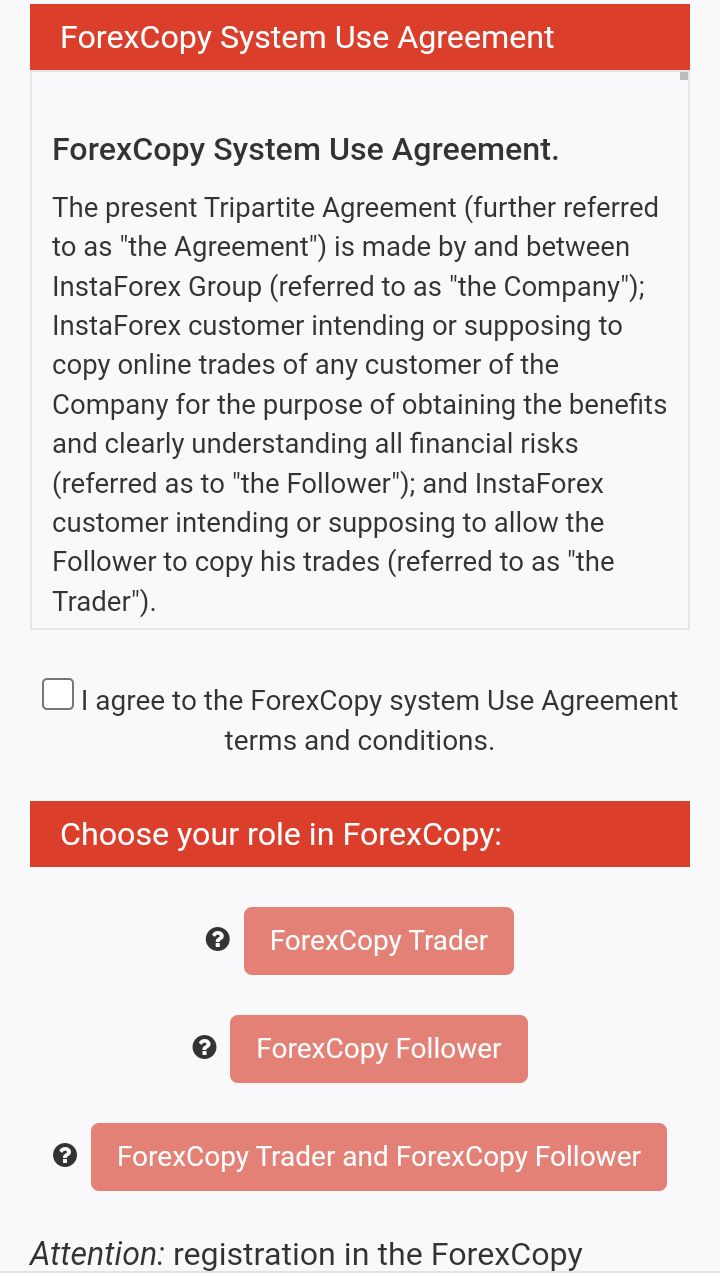
- Step 2 of 8**: Select I agree Terms and Conditions**, if the agreement terms are acceptable, .
- Step 3 of 8: Select ForexCopy Follower
An email will be sent to your registered email with link to the Forex Monitoring dashboard and link to Deposit Money.
- Go to the ForexCopy monitoring (all accounts) [i.e. Company Services > ForexCopy System] worksheet:
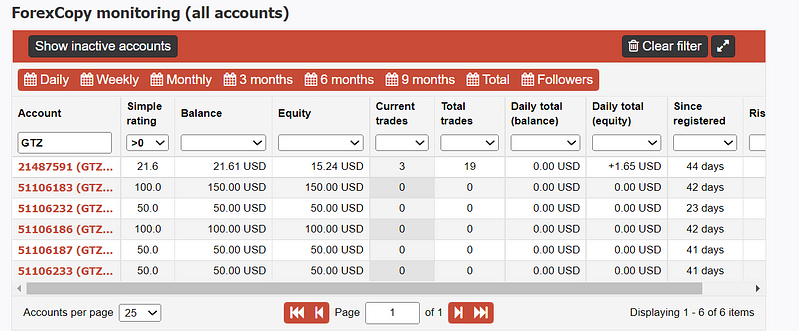
- Step 4 of 8: In the Account field type GTZ
- Step 5 of 8: Change the Simple Rating field to: >0
- Step 6 of 8: Select the respective Account to Copy
GTZ Copy Trading Services
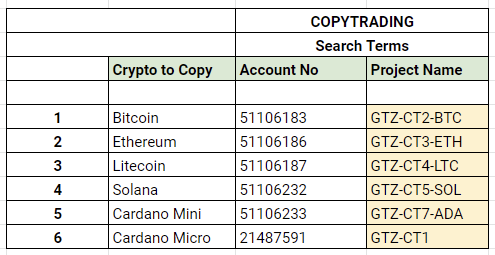
GTZ Copy Trading Services Search Terms
Minimum Capital Table Per Price Range

NB* Search can be done based on Account No or Project Name
In the subscription parameters page you will see Copying Ratio: